
How to Monetize a Custom GPT
with OpenAI's GPT 5.4
Build, monetize, and deploy a Custom GPT chatbot app with OpenAI's GPT 5.4 model using CalStudio

In March 2026, OpenAI introduced GPT-5.4 to the world, marking a massive leap forward in their AI lineup. The new model replaces previous iterations with upgraded "GPT-5.4 Thinking" and features a massive 1.1M context window. It also scores an impressive 83% on professional work benchmarks.
GPT 5.4 Key Specs
With native vision, advanced tool use, and function calling, GPT-5.4 is incredibly powerful. However, while it is great for building advanced, agentic applications, there's no immediate, built-in way to create a customized bot powered by GPT-5.4 and actually charge users for it.
✔ The CalStudio Solution
CalStudio lets you build a GPT 5.4-powered chatbot and monetize it with:
- ✔ One-time payments or recurring subscriptions
- ✔ Free chat allowance for new users
- ✔ Up to 3 subscription tiers with 7 features each
- ✔ Custom domains, embeds, and public links
- ✔ Knowledge base (PDF, docs, FAQs)
- ✔ Built-in analytics
Here's a step-by-step process on how you can easily do this:
1 Sign Up on CalStudio
Head over to CalStudio.com and create your free account. No credit card required.
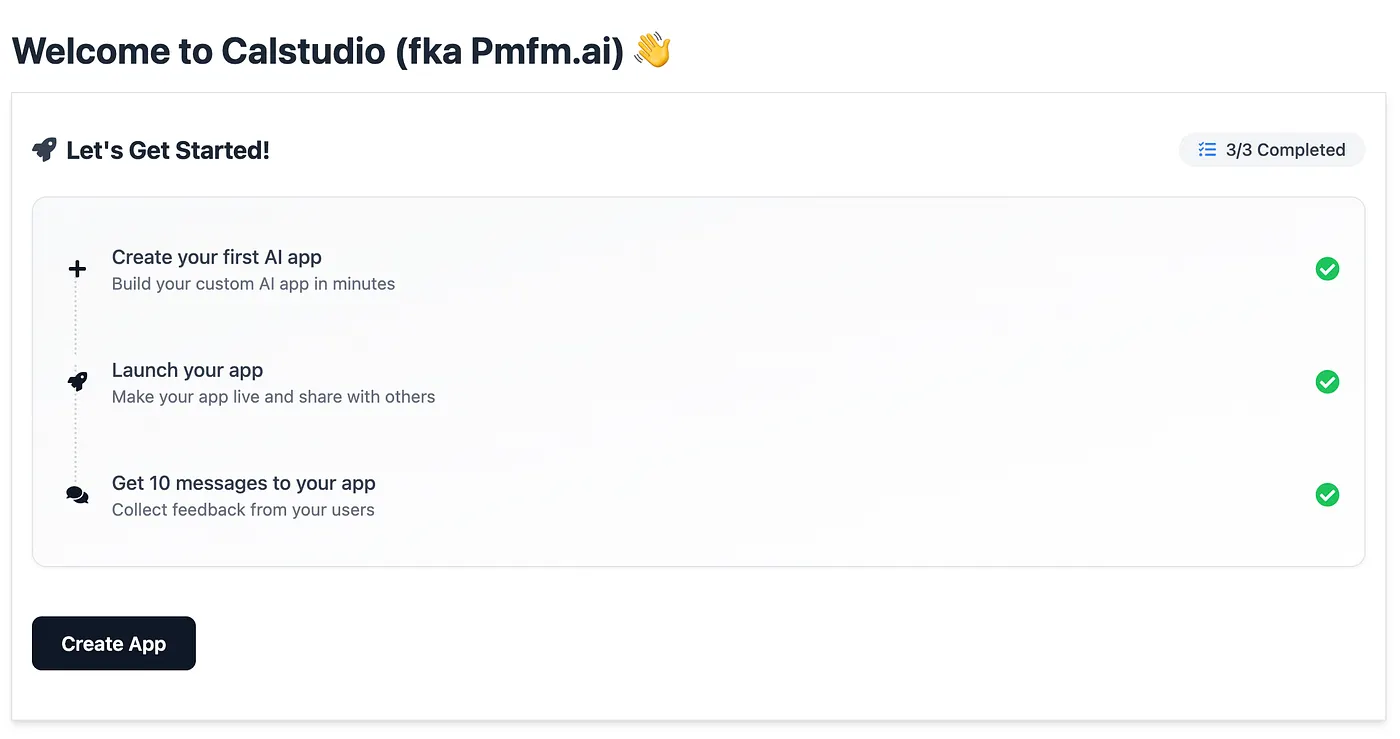
2 Click "Create App"
Once you have signed up, click on the "Create App" button from your dashboard to start building your monetized GPT 5.4 chatbot.
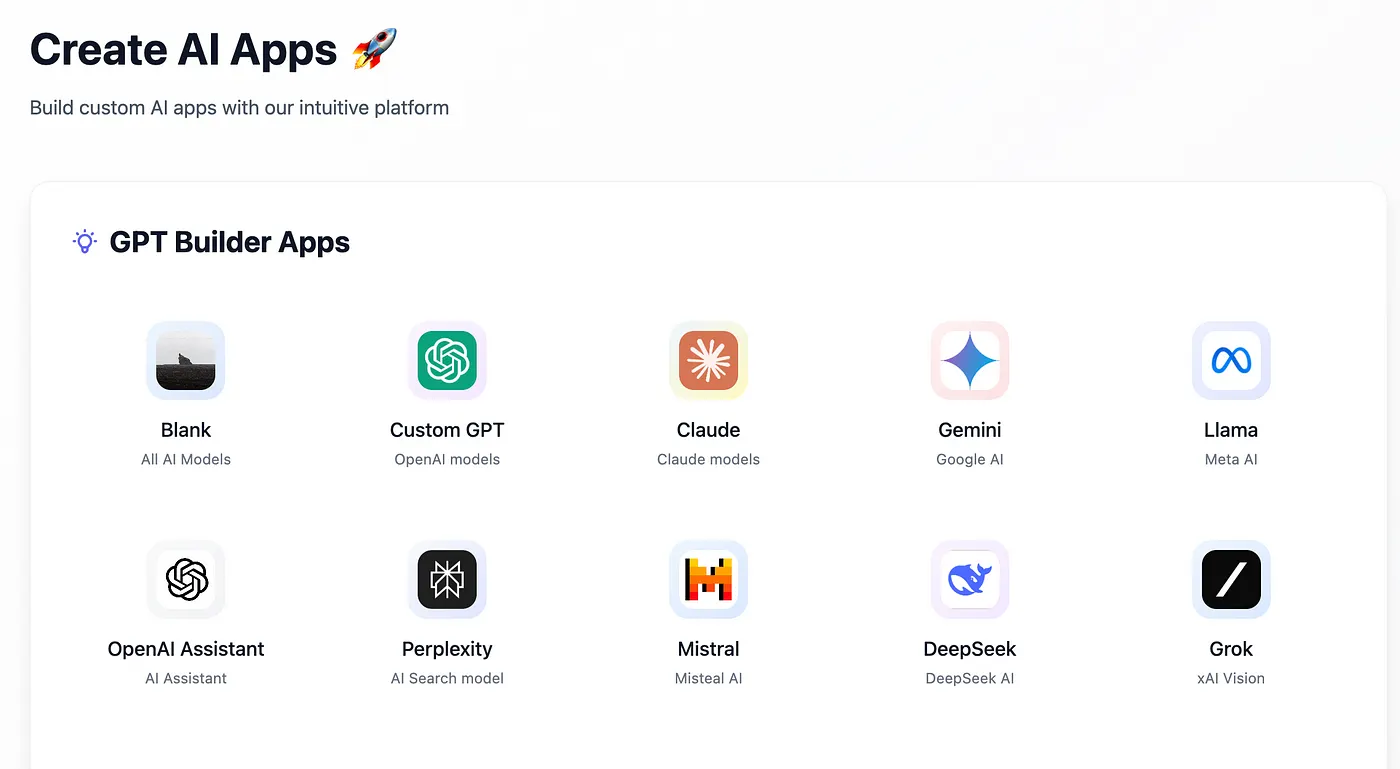
3 Select "Custom GPT"
Select the option that says "Custom GPT" from the menu. This gives you access to all of OpenAI's latest models, including the new GPT-5.4.
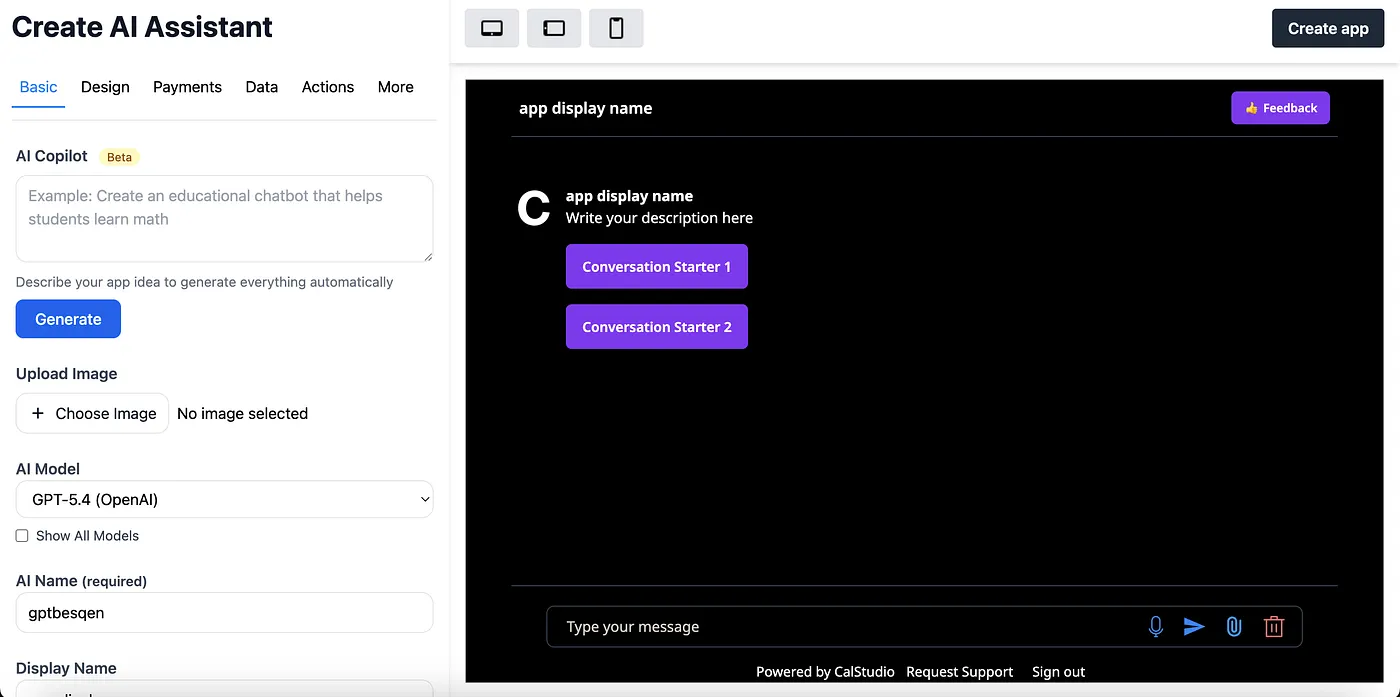
4 Configure Your Bot with GPT 5.4
Fill out the form choosing a name and image for your bot. Select the GPT-5.4 model from the list of AI models. You will then need to define a prompt for the bot and upload an image.
AI Copilot
Optionally, you can use the AI copilot feature to generate the prompt and other app components automatically. This saves time and helps you create high-quality prompts tuned for GPT 5.4.
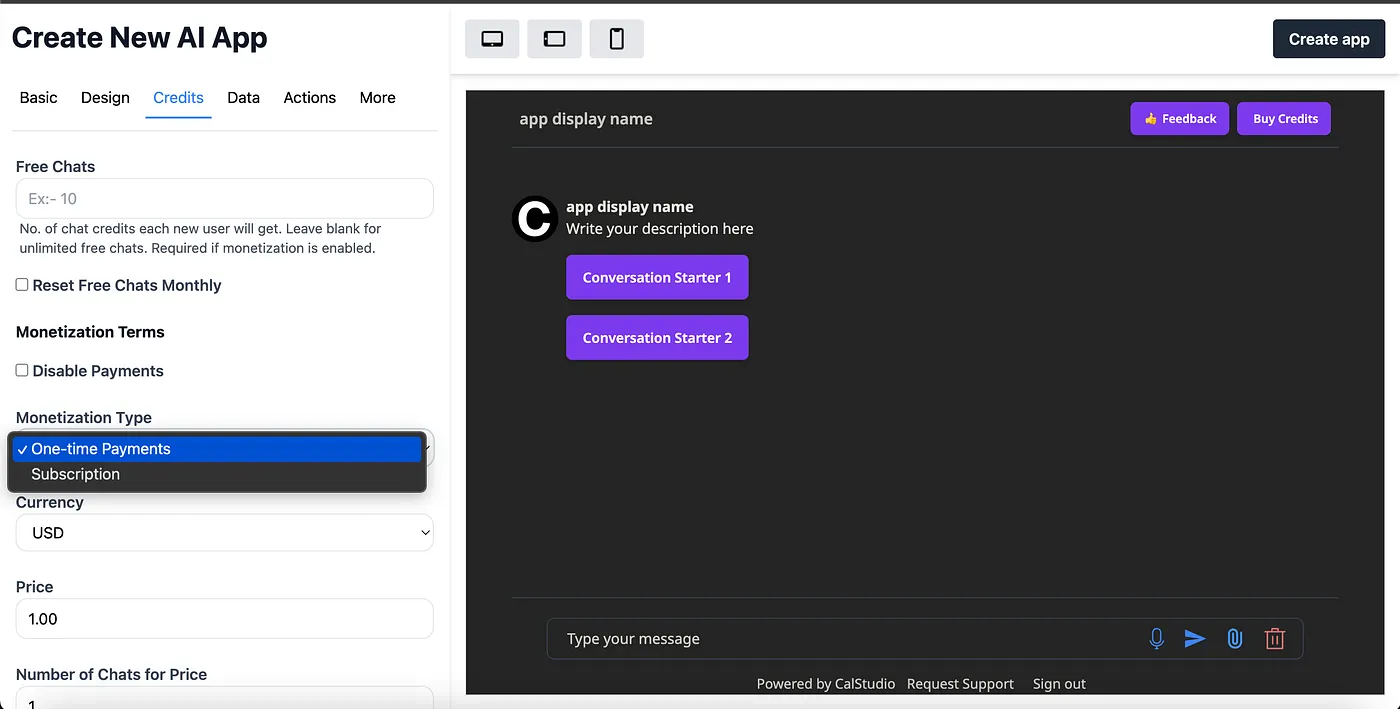
5 Set Up Monetization
Configure the GPT's pricing by going into the Credits or Payments tab. Decide the monetization model:
One-Time Payments
Sell chat credits as a one-time purchase
Example: 100 chats for a $10 one-time payment
Subscriptions
Recurring monthly payments for access
Example: $29/month for 500 chat credits
Set the free allowance for new users (example: 30 free chats on signup). Both one-time payments and subscriptions will let you sell chat credits for payments.
6 Create Subscription Tiers (Optional)
If you select subscription as the monetization type, you can create up to three tiers and specify up to seven features per tier. This lets you offer Basic, Pro, and Enterprise plans with different feature sets.

Pricing Tips
- • Start with a generous free tier to attract users (e.g., 30 free chats)
- • Price based on the value your GPT 5.4 bot provides, not your costs
- • Offer volume discounts for larger credit packs
- • Use subscription tiers to capture different customer segments
7 Attach a Knowledge Base
You can attach a knowledge base if you want the bot grounded on your docs/FAQs. Upload any supporting documents you want your GPT 5.4 app to use (like PDFs, docs, or knowledge files). GPT 5.4's massive 1.1M context window makes it particularly powerful for working with large documents.

Supported File Types
PDF, Word, TXT, CSV, and more
Smart Retrieval
AI finds relevant info from uploaded docs automatically
Real-Time Updates
Update documents anytime, changes take effect immediately
8 Create and Test Your GPT 5.4 App
Create the GPT app once you're done. It will appear in your dashboard immediately. Test in the built-in chat. Iterate on the prompt and settings until you like the answers.

Testing Tips
- • Ask a variety of questions to test GPT 5.4's reasoning capabilities
- • Try edge cases and difficult scenarios
- • Verify the bot stays in character and follows your prompt
- • Test that uploaded knowledge base documents are being referenced correctly
9 Launch, Embed, and Share
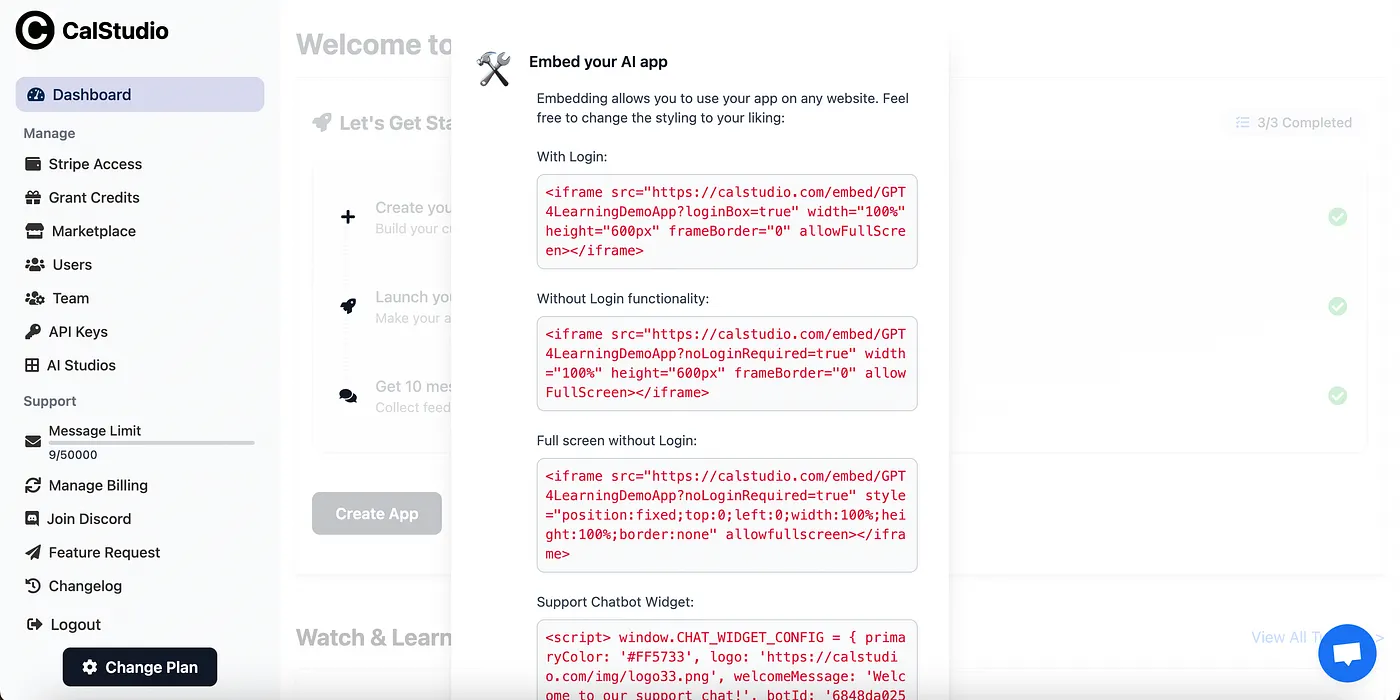
Click Launch to make it public and share the link with anyone. After launch, click Embed to get a small code snippet and drop it on any page of your site. Embedded apps support monetization too.
Deployment Options
Public Link
Click "Launch" to generate a shareable URL. Share on social media, email, or anywhere.
Website Embed
Click "Embed" to get a code snippet. Add it to any website for a chat widget.
Custom Domain
Use Publish → Custom Domain to host on your own domain or subdomain.
Custom Domain Setup
Prefer a full-page experience on your own domain? Use Publish → Custom Domain, enter a root domain or subdomain, and follow the DNS instructions shown (you'll update the provided NS records). DNS changes typically propagate in 24-48 hours. You can monitor the analytics of the app too once it has been launched.
SSL & Security
All CalStudio-hosted chatbots come with automatic SSL certificates and enterprise-grade security. Your conversations are encrypted and your data stays private.
Why GPT 5.4 Is Perfect for Monetized Chatbots
GPT-5.4 Thinking
Advanced reasoning for complex tasks like legal analysis, financial planning, and medical Q&A.
Native Vision
Process images alongside text — ideal for design critique, product analysis, and visual Q&A bots.
1.1M Context Window
Handle massive documents, entire codebases, or lengthy conversation histories without losing context.
Tool Use & Function Calling
Build agentic chatbots that can take actions, fetch data, and integrate with external services.
High-Value GPT 5.4 Chatbot Ideas to Monetize
Legal Contract Reviewer
Leverage GPT 5.4 Thinking to analyze contracts, flag risks, and suggest edits.
$99-299/month
Financial Advisor Bot
Investment analysis, portfolio review, and market research powered by the 1.1M context window.
$79-199/month
Academic Writing Coach
Help students with thesis papers, research, and writing using GPT 5.4's reasoning.
$19-49/month
Code Review Assistant
Review entire codebases, catch bugs, and suggest optimizations with the massive context window.
$49-149/month
Start Monetizing Your GPT 5.4 Chatbot Today
That's it — this is how you can collect payments and monetize a custom GPT 5.4 chatbot app. With GPT 5.4's advanced capabilities and CalStudio's no-code platform, you can have a monetized chatbot live in minutes.
Quick Recap
- 1. Sign up for CalStudio (free)
- 2. Click "Create App" → Select "Custom GPT"
- 3. Choose GPT-5.4 and configure your bot
- 4. Set up pricing (one-time payments or subscriptions)
- 5. Attach a knowledge base (optional)
- 6. Create, test, and launch
- 7. Share, embed, or use a custom domain
GPT 5.4 is the most powerful model OpenAI has released yet, and combining it with CalStudio's monetization platform gives you everything you need to build a sustainable AI-powered business.

